Printer or multifunction printer: which is right for your workplace?
One of the first decisions when buying a new device is whether you need a printer or a multifunction printer.
Both can provide reliable everyday printing, but they support different working requirements. The best choice depends on the documents your team handles, the space available and whether scanning and copying are part of normal business activity.
What is the difference?
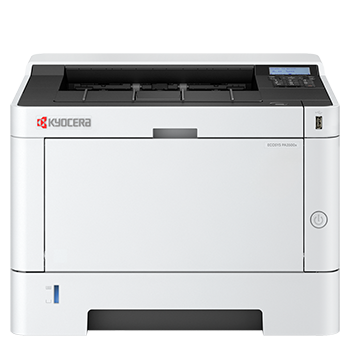
A printer is intended primarily for producing printed documents.
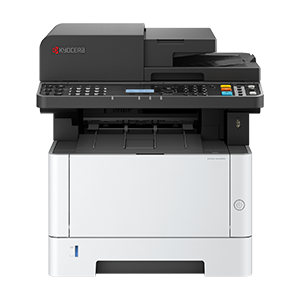
A multifunction printer combines printing with additional document functions. Depending on the model, these can include scanning, copying and faxing.
This makes a multifunction printer a practical option for a business that wants several document processes managed through one device.
When should you choose a printer?
A print-only device may be the right choice if:
- Your team primarily produces printed documents.
- Scanning and copying are rarely required.
- You already have a separate scanning process.
- Desk or office space is limited.
- You want a straightforward device for day-to-day printing.
Compact ECOSYS printers such as the PA2101cwx are positioned as desk-friendly devices offering economical colour output, while models such as the PA3500wx and PA4000wx are designed for dependable workplace printing with wireless connectivity and low total-cost-of-ownership messaging.
The exact specification should always be checked on the relevant product page before purchasing.
When should you choose a multifunction printer?
A multifunction printer may be better suited to your workplace if:
- Documents are scanned regularly.
- Staff need to copy paperwork.
- Multi-page customer forms or invoices are processed.
- You want to reduce reliance on separate devices.
- Several members of the team need access to shared document functions.
The ECOSYS MA2101cwfx is described as a colour network multifunction printer for small workgroups and individual users. The ECOSYS MA2600cwfx provides colour print, copy, scan and fax functionality for professional use and small to medium workgroups.
Think about how your team handles paper
The decision should be based on actual workflows rather than the number of features listed in a specification.
Consider what happens when a document arrives in your organisation:
- Does it need to be scanned into a shared folder?
- Is a copy required for another colleague?
- Are signed forms converted into digital files?
- Are several pages normally processed together?
- Does the team need to send or receive documents by fax?
If several of these tasks occur regularly, a multifunction printer is likely to provide more value than a print-only device.
Do you need an automatic document feeder?
An automatic document feeder, or ADF, lets users scan, copy or fax multiple sheets without placing each page on the scanning surface individually.
This can make a meaningful difference when handling:
- Multi-page contracts.
- Application forms.
- Customer records.
- Invoices and purchase orders.
- Signed documents.
- Archived paperwork.
If scanning is only an occasional requirement, a basic scanning function may be sufficient. If it forms part of a daily process, the document feeder and scanning specification should be reviewed carefully.
Consider your available space
A multifunction printer replaces some of the functions that would otherwise require separate equipment. However, individual MFPs can be larger than compact print-only devices.
Measure the intended location and allow suitable space for:
- Paper trays and output.
- Access to toner and maintenance areas.
- Opening the scanner.
Ventilation. - Power and network connections.
- Comfortable access for users.
The Kyocera DS Store includes compact print-only products as well as multifunction devices intended for different workplace sizes.
Compare colour, speed and connectivity separately
Choosing an MFP does not automatically answer every other purchasing question. You will still need to decide:
Whether your organisation requires colour or mono output.
How quickly documents need to be printed.
How many users will share the device.
The normal monthly print volume.
Whether Wi-Fi or Wi-Fi Direct is required.
Whether automatic double-sided printing is important.
Which security capabilities are required.
A business producing mainly text documents may prefer a mono printer or mono MFP. A team creating presentations, proposals or marketing materials may benefit from colour.
Do not overlook printer security
Printers and multifunction printers can process commercially sensitive documents, so their security settings deserve the same consideration as other connected workplace technology.
Kyocera’s hardware guidance refers to capabilities including authentication, secure print release, encrypted data storage, automatic overwriting of stored job data and network protections. However, the exact security functions vary by device and setup. Proper configuration is therefore essential.
Before purchasing, identify the controls your organisation requires and compare them against the detailed specification of the preferred model.
The quick answer
Choose a printer when you need a focused, straightforward device and scanning or copying is not a regular part of your workflow.
Choose a multifunction printer when your team regularly prints, scans and copies documents and would benefit from combining those activities in one device.
Whichever route you choose, base the final decision on expected usage, required features, the number of users and the ongoing cost of toner rather than purchase price alone.
Find the right Kyocera device
The Kyocera DS Store offers a carefully selected range of printers and multifunction printers for home workers, hybrid environments and small businesses, backed by Kyocera expertise and support.