Genuine Kyocera toner or compatible toner: what should you choose?
When a printer needs replacement toner, it can be tempting to make the decision based only on cartridge price. However, choosing toner also involves compatibility, expected page yield, print quality and the reliable operation of the device.
Understanding these areas can help you make a more informed decision and avoid ordering the wrong cartridge.
What is genuine Kyocera toner?
Genuine Kyocera toner is produced for use with specified Kyocera printer models.
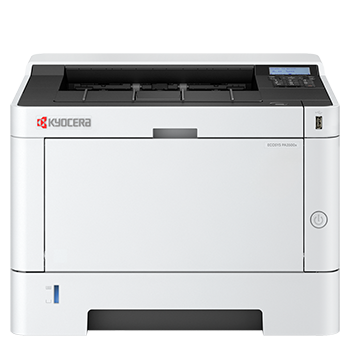
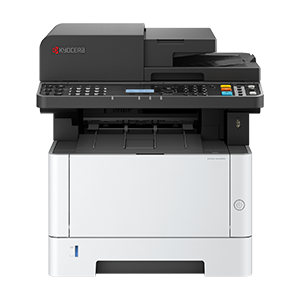
The Kyocera DS Store clearly lists compatible ECOSYS printers against toner products. For example, different toner families are provided for devices including the ECOSYS PA2101cwx, ECOSYS MA2101cwfx, ECOSYS PA2600cwx, ECOSYS MA2600cwfx, ECOSYS PA3500wx and ECOSYS PA4000wx.
Checking this compatibility information is important because toner cartridges are not universally interchangeable, even when printer names appear similar.
Why does toner compatibility matter?
Every printer requires particular toner cartridges. Ordering by colour alone, or selecting a cartridge because it looks similar, can result in the wrong product being purchased.
Before ordering, check:
- The full printer model shown on the device.
- The toner code shown on the existing cartridge or product information.
- The list of compatible printers on the toner product page.
- Whether you need black, cyan, magenta or yellow toner.
- The stated page yield and whether it matches your likely usage.
The store advises customers to use the compatible toner products listed on the product page for their printer.
Print quality and reliable performance
Original toner is designed for the printer it supports. According to the toner guidance on the store, genuine toner is intended to support print quality, reliability and optimal device performance.
This can be particularly important when documents are customer-facing or need to present text, graphics and brand colours consistently.
Using the correct cartridge also removes uncertainty about whether the toner has been designed for the relevant ECOSYS device.
What does toner page yield mean?
Page yield is an estimate of how many pages a toner cartridge can produce under defined test conditions.
It should be treated as a comparison point rather than a promise of the exact number of pages your organisation will print. Actual output depends on factors such as the amount of toner used on each page and the type of documents being produced.
A page containing a small amount of text will use toner differently from a full-colour presentation, photograph or marketing document.
Should you choose high-yield toner?
High-yield cartridges produce more pages before they need to be replaced and can be more cost-effective for regular printing.
They may be a sensible choice when:
- The printer is used frequently.
- Several people share the device.
- Your business prints high volumes of documents.
- You want to reduce how often cartridges are replaced.
A standard-yield option may still be suitable for a business with lighter or occasional printing requirements. The right choice depends on the cartridge options available for the printer and the amount of printing you expect to complete.
Toner and environmental considerations
Kyocera states that its genuine toner cartridges use fewer components, which reduces their environmental impact and makes recycling simpler.
The wider ECOSYS approach also focuses on long-life components, efficiency and reduced waste. The Kyocera DS Store positions sustainability as a fundamental part of product design rather than an additional feature.
The store also states that Kyocera printers and multifunction products are supplied with carbon offsetting covering defined areas including hardware manufacture, transport and toner use over the expected life of the device, based on average usage.
How to find the correct toner
Use the following process before adding a cartridge to your basket:
- Find the full model name on the front or information screen of your printer.
- Search for that model on the toner catalogue.
- Check that the printer is included in the cartridge’s compatibility description.
- Confirm the toner code.
Select the required colour. - Review the stated page yield.
- Check the quantity before completing the order.
If you manage more than one Kyocera printer, record each printer model and its corresponding toner codes. This simple reference can help prevent ordering errors and make repeat purchases faster.
Buy genuine toner directly from Kyocera
The Kyocera DS Store provides genuine toner for the ECOSYS device families included in its range, with compatibility information and direct online purchasing.
Buying directly also gives customers access to manufacturer-backed expertise and support throughout the life of their device.