How to choose the right printer for your small business
Choosing a printer can feel more complicated than it needs to be.
Specifications such as print speed, duty cycle, duplex printing and paper capacity are useful, but they do not always make it clear which device is right for the way your business actually works.
A better place to start is with a few straightforward questions.
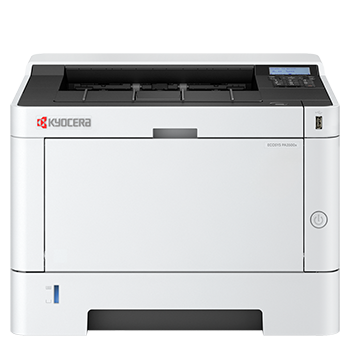
Do you need a printer or a multifunction printer?
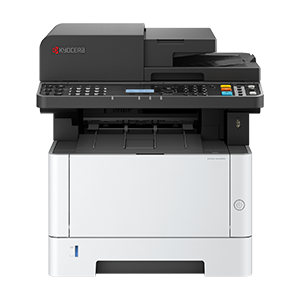
A standard printer is designed primarily for printing. A multifunction printer, sometimes called an MFP, combines printing with functions such as scanning and copying.
If your team regularly scans invoices, customer forms, signed documents or other paperwork, a multifunction printer can reduce the need for separate devices. If you only need to produce documents and already have an established scanning process, a printer may be the simpler choice.
The Kyocera DS Store offers both printers and multifunction printers, with the multifunction models supporting combinations of printing, copying, scanning and faxing depending on the device.
Do you need colour or mono printing?
Think about the documents your business produces most often.
A mono printer is well suited to text-heavy documents such as invoices, internal paperwork, reports and delivery notes. It can be a practical option when most output is black and white.
A colour printer offers more flexibility if you produce presentations, customer proposals, charts, marketing materials or documents where colour helps communicate information clearly. The store’s hardware guidance similarly positions mono devices for primarily text-based work and colour devices for presentations, marketing materials and visually important documents.
Avoid paying for functionality you are unlikely to use, but also consider how your requirements may change as the business grows.
How many people will use the device?
A printer used by one home worker will face very different demands from one shared by a busy office team.
For an individual user, a compact wireless device may provide everything required for everyday work. A shared office printer may need faster output, greater paper capacity and the ability to manage multiple print jobs reliably.
The Kyocera DS Store currently includes compact desktop devices as well as ECOSYS models designed for small and medium workgroups or more demanding organisations.
How much do you print each month?
Your normal monthly print volume is one of the most important factors when selecting a device.
Do not make the decision solely on the maximum duty cycle. The duty cycle is the maximum number of pages a printer can produce in a month, while the recommended monthly volume is intended to give a more useful indication of the workload the device is designed to handle regularly.
Choose a device that comfortably supports your usual output rather than one that will continually operate near its maximum capacity.
Which features will make everyday work easier?
Once you understand your main requirements, compare the features that will make a practical difference.
Automatic double-sided printing – Duplex printing automatically prints on both sides of the paper. It can reduce paper consumption and help produce professional-looking documents.
Automatic document feeder – An automatic document feeder allows several pages to be scanned or copied without placing each sheet on the scanner individually. It can be particularly useful for teams working with contracts, forms or multi-page documents.
Wireless connectivity – Wi-Fi and Wi-Fi Direct can provide more flexible access to a device, particularly in small offices and hybrid-working environments. Several devices in the store’s current range include Wi-Fi Direct or wireless functionality.
Security controls – Printer security should be considered alongside laptops, networks and other business technology. Depending on the model and configuration, Kyocera devices can provide features including user authentication, secure print release, encrypted data storage, job-data overwriting and network protections. The exact features vary by model, so the individual product specification and your required configuration should always be checked.
Consider the cost beyond the purchase price
The lowest-priced printer is not automatically the most economical device over its working life.
Consider toner capacity, expected print volume, energy use, maintenance requirements and the longevity of key components. Kyocera describes its ECOSYS products as using long-life components designed to help reduce waste and running costs.
You should also check the cost and availability of the correct toner before buying the printer. This gives you a clearer picture of the ongoing commitment and helps avoid compatibility problems later.
A simple printer selection checklist
Before making your choice, answer these questions:
- Do we require colour or mono printing?
- Do we need scanning and copying?
- How many people will share the device?
- Approximately how many pages do we print each month?
- Is wireless connectivity required?
- Do we regularly scan multi-page documents?
- Which security controls are important to us?
- What is our preferred purchase budget?
- Which toner will the device require?
Answering these questions will quickly narrow the options and help you choose a printer that supports the way your business works.
Buy directly from Kyocera
The Kyocera DS Store provides a curated range of printers and multifunction printers for home working, hybrid environments and small businesses.
Customers can purchase directly from Kyocera with access to genuine products, manufacturer-backed expertise and support throughout the life of the device.