
FAQs
Choosing the Right Printer
What is the difference between a printer and a multifunction printer (MFP)?
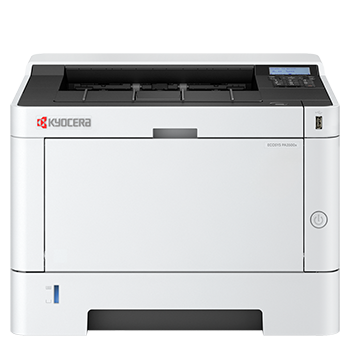
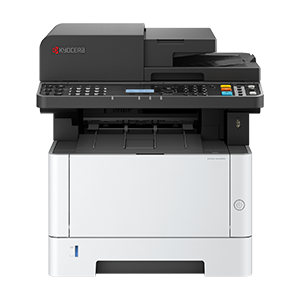
A printer is designed purely for printing documents. A multifunction printer (MFP) combines printing, scanning and copying in one device, making it a more efficient choice for most homes and businesses.
What type of printer is best for home or office use?
For home use, a compact wireless printer or MFP is usually sufficient. For office environments, a higher-capacity laser device with faster print speeds, duplex printing and scanning functionality is more appropriate.
How many pages per month should my printer handle?
Choose a printer based on your expected monthly print volume. Occasional users may only need a few hundred pages per month, while businesses often require devices capable of several thousand pages per month.
What is duty cycle and why does it matter?
The duty cycle is the maximum number of pages a printer can produce in a month. However, the recommended monthly volume is a more reliable indicator of what the device is designed to handle day to day.
Do I need colour printing?
If you primarily print text documents, a mono printer will be more cost-effective. Colour printers are better suited to presentations, marketing materials and documents where visual impact matters.
What is duplex printing?
Duplex printing allows you to print on both sides of the paper automatically. It helps reduce paper usage and produces more professional-looking documents.
What is an Automatic Document Feeder (ADF)?
An ADF allows you to scan, copy or fax multiple pages in one go without manually feeding each sheet. It is particularly useful for offices handling multi-page documents.
Connectivity and Compatibility
Will the printer work with my computer?
Most printers are compatible with Windows and macOS. Many also support mobile devices, including smartphones and tablets. Compatibility details are listed on each product page.
Can I print from my phone or tablet?
Yes. Many printers support mobile printing through Wi-Fi, apps, or services such as Apple AirPrint and Mopria.
What connection options are available?
Depending on the model, printers may support Wi-Fi, Ethernet for network use, and USB for direct connection.
Costs and Ownership
What is the total cost of ownership?
Also known as TCO, the total cost of ownership includes the initial purchase price as well as ongoing costs such as toner, maintenance and energy use. Lower-cost printers can sometimes lead to higher long-term running costs.
How is cost per page calculated?
Cost per page is calculated by dividing the price of the toner cartridge by its estimated page yield. This helps compare long-term running costs between devices.
Everyday Use
How do I print double-sided documents?
If your printer supports duplex printing, you can select this option in your print settings. Some models may require manual duplex printing.
How do I scan documents?
Multifunction printers allow you to scan directly to a computer, email or cloud storage, depending on the model and setup.
Why is my printer printing slowly?
This can be caused by high-quality print settings, large files, network issues or outdated drivers. Adjusting settings or improving connectivity can often resolve the issue.
Why are my prints faded or streaky?
This is often due to low toner levels, incorrect settings or maintenance issues. Replacing the toner cartridge or cleaning the device usually resolves it.
Toner and Consumables
What toner does my printer use?
Each printer requires specific toner cartridges. You can find compatible toner products listed on the product page for your printer.
Whats the benefit of using genuine toner?
Original toner is designed for optimal performance, reliability and print quality. Kyocera genuine toner cartridges use fewer components, reducing their environmental impact and making recycling simpler.
What is the difference between standard and high-yield toner?
High-yield toner cartridges produce more pages before replacement and are generally more cost-effective for regular printing.
How many pages does a toner cartridge last?
Page yield varies by cartridge and is typically based on standard test conditions. Actual results depend on how much content you print on each page.
How do I know when toner is running low?
Your printer will display a notification when toner levels are low. You may also notice a decline in print quality.
How do I install a toner cartridge?
Installation is straightforward and usually involves removing the old cartridge and inserting the new one. Full instructions are provided with each product.
Will non-original toner affect my warranty?
If a fault is caused by third-party consumables, it may not be covered under warranty. It is recommended to use Kyocera genuine toner for peace of mind.
Can toner expire?
Toner does not dry out like ink, but it should be stored correctly and used within the recommended timeframe.
How can I reduce toner usage?
You can reduce toner consumption by printing in draft mode, using mono printing where possible and avoiding unnecessary prints.
What does 5 percent page coverage mean?
This is an industry standard used to estimate toner yield. It assumes only a small portion of each page contains printed content. Real usage may vary.
How do I recycle toner cartridges?
Used toner cartridges can typically be recycled through designated recycling programmes, helping to reduce environmental impact.